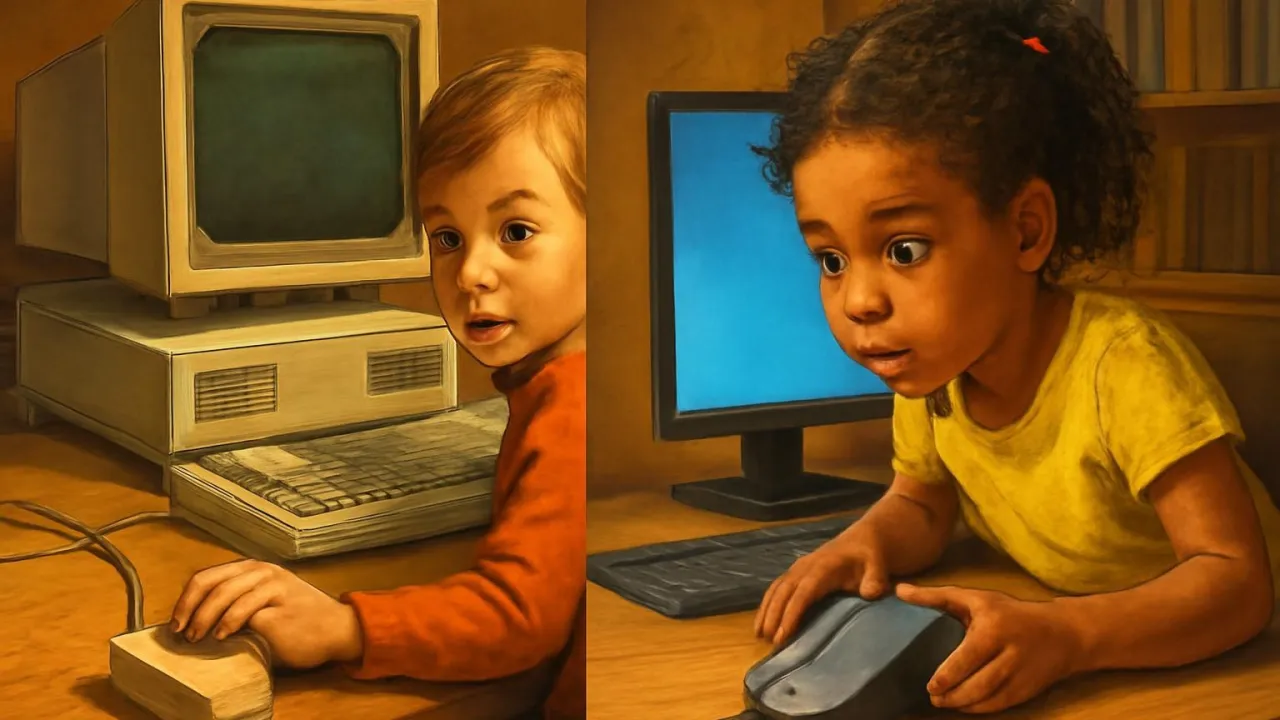
The word 'mouse' was chosen because the cord looked like a tail!
✨ Word Sparks (Grade 2 Glossary)
Tap 🔊 to hear
signal
Message sent from one thing to another
button
Part you press to make things happen
wireless
Works without a cord or wire
🪝
Have you ever heard a mouse click and seen the arrow move?
1
A Hand Helper
When you move the mouse, the pointer moves on the screen. You can click , open games, and draw pictures with it. The mouse makes computers easier for everyone to use.
2
How Does It Work?
A ball or light inside the mouse senses movement when you slide it. The mouse sends < type="button" class="ca-inline-spark" onclick="pulseWordSpark(2, 0)" title="Tap to highlight Word Spark">signals to the computer, so the pointer follows your hand. Some mice have two buttons for clicking and picking things.
3
From Wood to Wonders
The first mouse was made from wood in 1964 by Douglas Engelbart. Today, mice come in many shapes, colors, and even styles. They help kids and adults play, learn, and work every day.
The first public computer mouse demonstration was called 'The Mother of All Demos' in 1968!
✨ Word Sparks (Grade 3 Glossary)
Tap 🔊 to hear
sensor
Part that detects movement or light
prototype
First test version of an invention
scroll
Move up or down on a screen
🪝
What if you could control a computer just by moving your hand?
1
A Clever Invention
In 1964, Douglas Engelbart invented a small device that changed computers forever. He called it a 'mouse' because its cord looked like a tail. The mouse lets you move a pointer on the screen, making computers easier to use for everyone.
2
How Does a Mouse Work?
Early mice used a rolling ball to sense movement on a desk. The ball turned wheels inside, sending signals that moved the pointer. Today, most mice use an optical , which detects motion using light instead of a ball.
3
Buttons and Clicks
A mouse usually has two buttons and sometimes a wheel in the middle. Clicking the buttons lets you select, drag, or open things on the computer. The soft 'click' sound comes from a tiny switch inside the button.
4
Changing the World
Before the mouse, people had to type long commands to use computers. The mouse made computers fun and easy for kids and adults. Today, almost every computer in the world uses a mouse or touchpad to help people work, play, and learn.
1. What did early computer mice use to sense movement?
2. Why is the computer mouse important?
🤯 Mind-Blowing Fact • Grade 4
Douglas Engelbart’s 1968 demo showed the mouse, video calls, and hypertext all at once!
✨ Word Sparks (Grade 4 Glossary)
Tap 🔊 to hear
ergonomic
Designed to fit your hand comfortably
optical
Uses light to sense movement
interface
How you interact with a computer
🪝
Imagine trying to use a computer with only a keyboard—how would you choose what to click?
1
The Birth of the Computer Mouse
In the 1960s, computers were giant machines that only experts could use. Douglas Engelbart, an engineer in California, wanted to make computers friendlier for everyone. He invented the computer mouse in 1964, creating a wooden prototype with a single button and a cord resembling a tail. This simple invention would soon change the way people interacted with technology.
2
Engineering the Mouse
The first mouse used a rolling ball underneath to detect movement on a flat surface. As the ball rolled, it turned two small wheels inside, each measuring motion in a different direction. This mechanical action sent signals to the computer, making the pointer move on the screen. Later, mice replaced the ball with a light sensor, which tracked movement using reflections from the desk.
3
From Offices to Homes
When computers became popular in homes and schools, the mouse became an essential tool. Its shape fits comfortably in your hand, and its buttons allow for clicking, dragging, and scrolling. People use mice to play games, create art, and explore the internet, making computers accessible to kids and adults alike.
4
A Global Impact
The mouse sparked a revolution in human-computer interaction, leading to the development of graphical user . Today, billions of mice are used worldwide, and wireless designs have made them even more convenient. The mouse’s legacy continues as new technologies, like touchpads and touchscreens, build on its original idea of simple, hands-on control.
1. What did the first computer mouse use to detect movement?
2. How did the mouse change computer use for people?
🤯 Mind-Blowing Fact • Grade 5
The original mouse prototype was carved from wood and cost less than $20 to build!
✨ Word Sparks (Grade 5 Glossary)
Tap 🔊 to hear
graphical user interface
Computer screen with pictures and menus you can click
ergonomics
Science of designing things to fit people’s bodies
haptic feedback
Technology that lets you feel vibrations or bumps
🪝
What if you could command a computer with just a gentle flick and a click of your wrist?
1
A Vision for Human-Computer Interaction
In the early 1960s, Douglas Engelbart envisioned a future where computers would amplify human abilities, not just process numbers. To make this possible, he and his team at Stanford Research Institute developed the first computer mouse in 1964. The original prototype was a small wooden block with a single button and a cord, designed to fit comfortably in the user’s palm. Engelbart’s invention aimed to let people control computers intuitively, using natural hand movements instead of complicated typed commands.
2
Mechanical to Optical: How the Mouse Works
The earliest mice used a steel ball mounted underneath the device, which rotated as the user moved the mouse across a flat surface. Inside, two perpendicular shafts with wheels measured the ball’s movement along the X and Y axes, converting physical motion into electrical signals. These signals were sent to the computer, allowing precise control of the on-screen pointer. In the 1980s, the invention of the optical mouse replaced the ball with an LED and a sensor, using changes in reflected light patterns to detect motion with greater accuracy and less maintenance.
3
Design Evolution and Ergonomics
Over the decades, the mouse evolved from a simple block into a highly ergonomic device, shaped to reduce hand strain and improve precision. Modern mice often feature multiple programmable buttons, a clickable scroll wheel, and wireless technology that uses radio signals or Bluetooth for untethered movement. Engineers use human factors research and detailed measurements of hand anatomy to design mice that fit a wide range of users, from children to adults.
4
Impact on Computing and Society
The introduction of the mouse led directly to the development of (GUIs), which replaced text-based commands with windows, icons, and clickable menus. This revolutionized personal computing, making computers accessible to people of all ages and backgrounds. The mouse became a standard input device in homes, schools, and businesses worldwide, enabling new forms of creativity, communication, and productivity.
5
Legacy and Future Innovations
Today, billions of mice are used globally, but the core idea of intuitive, hands-on control continues to inspire new inventions. Touchpads, touchscreens, and gesture-based controllers all trace their origins to Engelbart’s vision. As technology advances, engineers experiment with , advanced sensors, and even brain-computer interfaces, but the humble mouse remains a symbol of how simple ideas can shape the digital world for generations.