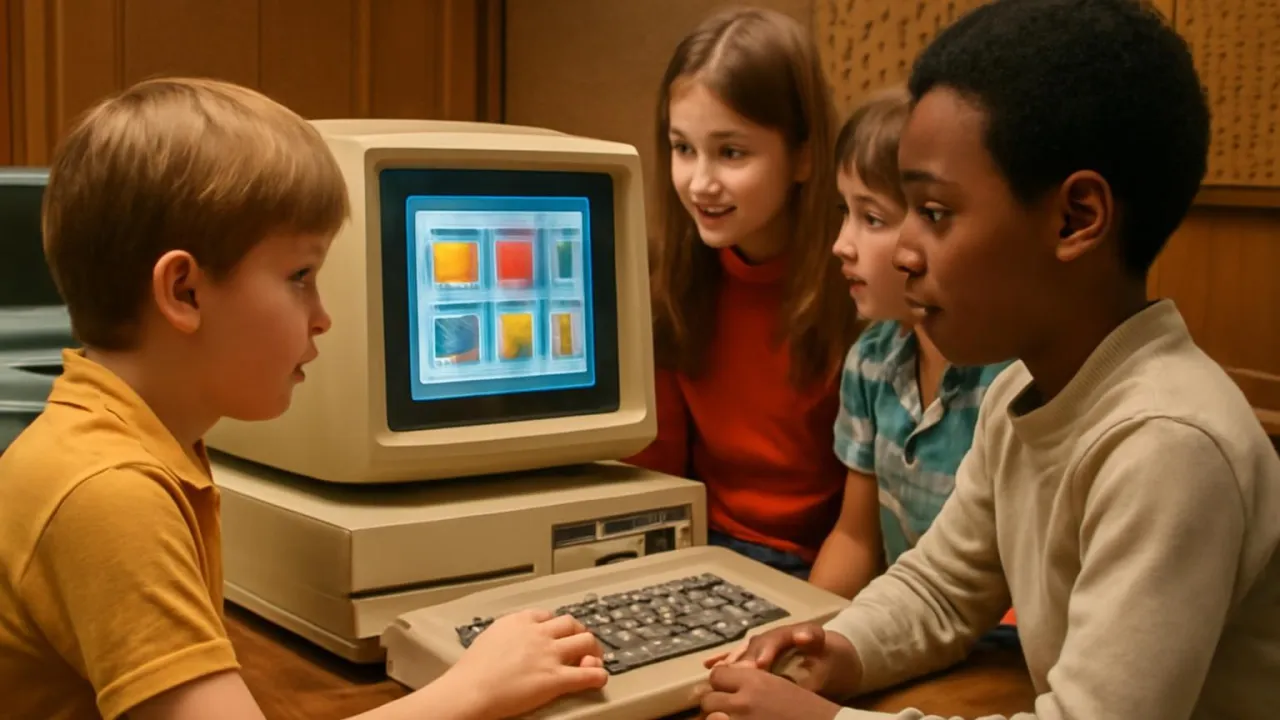
The first GUIs used a mouse before most people knew what a mouse was!
✨ Word Sparks (Grade 2 Glossary)
Tap 🔊 to hear
pointer
The arrow you move on screen.
menu
A list of things you can pick.
screen
The part you look at on a computer.
🪝
Have you ever seen a computer screen full of colorful buttons and pictures?
1
Point and Click Adventure
A mouse lets you move a and click on pictures. These pictures are called icons, and they open games or tools. You do not need to type long words, just click what you want. It makes computers easy and fun for everyone.
2
Windows and Menus
You can open many windows and move them around the . Each window shows something different, like art or music. drop down with choices, so you can pick what to do next. The screen becomes your playground.
3
From Labs to Homes
The first GUI was made in a lab at Xerox PARC. Soon, computers with GUIs came to homes and schools. People could draw, write, or play games with just a few clicks. GUIs made computers friendly for everyone.
The word 'icon' comes from a Greek word meaning 'image' or 'symbol.'
✨ Word Sparks (Grade 3 Glossary)
Tap 🔊 to hear
icon
A picture that does a job.
pointer
The arrow you move with a mouse.
bitmapped
A picture made of tiny dots or pixels.
🪝
Imagine a world where computers listen to pictures instead of just words—how would you use it?
1
A New Way to Talk to Computers
Before GUIs, people typed commands to use computers, which was hard for many. The graphical user interface, or GUI, changed everything by using pictures, , and windows. A mouse moves a , letting you click on what you want. This made computers much easier and more fun for everyone.
2
How Does a GUI Work?
A GUI uses and menus to show choices on the screen. When you click an icon, the computer follows your command, like opening a game or drawing tool. Windows can open, close, or move, letting you work on many things at once. This system uses visual symbols instead of just words.
3
The First GUI: Xerox Alto
The first working GUI was built at Xerox PARC in California in 1973. Their computer, called the Xerox Alto, had a mouse, a screen, and clickable . Later, companies like Apple and Microsoft made GUIs for their own computers. Soon, millions of people could use computers at home and school.
4
Why GUIs Matter
GUIs use visual cues, like color and shape, to help people understand computers. Words like ',' 'window,' and '' became part of our vocabulary. GUIs made technology accessible to everyone, not just computer experts. Today, almost every phone, tablet, and computer uses a GUI.
The first GUIs could display overlapping windows, a huge step forward in design.
✨ Word Sparks (Grade 4 Glossary)
Tap 🔊 to hear
pixel
A tiny dot on a computer screen.
processor
The computer's brain that follows commands.
navigation
Moving around on a computer screen.
🪝
What if you could control a computer just by pointing and clicking—how would that change your day?
1
From Commands to Clicks
Long ago, computers only understood typed commands, which made them hard for most people to use. The invention of the graphical user interface, or GUI, allowed people to interact with computers using visual symbols and a mouse. GUIs use windows, icons, and menus, making computers friendly and accessible. This innovation turned computers into everyday tools for work, learning, and play.
2
Engineering the GUI
A GUI works by displaying bitmapped graphics, which are made of tiny , on a screen. The mouse controls a pointer that selects icons or opens menus, sending signals to the computer's . When you click an icon, the GUI translates your action into a command the computer can understand. This process uses principles from human-computer interaction and visual design.
3
The Xerox Alto and Beyond
The first GUI was developed at Xerox PARC in 1973 for the Xerox Alto computer. Its interface included overlapping windows, clickable icons, and a mouse for . Later, Apple introduced the Macintosh, and Microsoft launched Windows, bringing GUIs to millions of users worldwide. These inventions changed how people learned, worked, and communicated.
4
Global Impact of GUIs
GUIs made technology accessible to people of all ages and backgrounds, not just computer scientists. They inspired new careers in design, programming, and digital art, and helped computers spread to schools, libraries, and homes. Today, GUIs are used in smartphones, tablets, and even smart TVs. This invention continues to shape the way we live and connect with the world.
The Xerox Alto’s GUI used 606 x 808 pixels—huge for its time and perfect for displaying detailed windows and icons.
✨ Word Sparks (Grade 5 Glossary)
Tap 🔊 to hear
usability
How easy something is to use.
cognitive science
The study of how people think and learn.
machine code
The language computers understand directly.
🪝
Can you imagine using a computer with no pictures, windows, or mouse—just a blank screen and blinking cursor?
1
The Dawn of Visual Computing
Before the graphical user interface, or GUI, computers were controlled by typing exact commands into a text-only screen. This method, called a command-line interface, required users to memorize complex instructions and made computers difficult for most people to use. The invention of the GUI at Xerox PARC in the early 1970s revolutionized this experience by introducing visual elements like icons, windows, and menus. Suddenly, users could interact with computers by pointing, clicking, and dragging, making technology more inviting and intuitive.
2
Engineering the GUI: Pixels, Pointers, and Processors
A GUI relies on bitmapped graphics, which display thousands of tiny pixels arranged in rows and columns on a screen. The mouse controls a pointer, sending electrical signals to the computer’s processor, which interprets these movements and translates them into actions on the display. When you click an icon, the GUI converts your action into , launching programs or opening files. This seamless translation between human input and computer operations is a triumph of engineering, combining hardware, software, and design.
3
The Xerox Alto: Where It All Began
The first working GUI appeared on the Xerox Alto in 1973, featuring overlapping windows, clickable icons, and a mouse for navigation. Although the Alto was never sold to the public, its groundbreaking design inspired Apple's Lisa and Macintosh, as well as Microsoft Windows. These later systems brought GUIs to homes, schools, and offices, making computers accessible to millions of people worldwide.
4
Global Impact and Cultural Transformation
GUIs democratized computing by removing barriers to entry and enabling people of all backgrounds to use technology. They sparked new fields like user experience (UX) and digital design, and influenced everything from smartphones to smart appliances. Today, GUIs are essential in education, communication, entertainment, and even healthcare, proving their lasting impact on society and culture.
5
The Future: Beyond Desktop GUIs
Modern GUIs continue to evolve, incorporating touchscreens, gesture controls, and voice commands. Engineers now use principles of , accessibility, and to design interfaces that are both efficient and enjoyable. As technology advances, GUIs will keep adapting, ensuring that people everywhere can interact with computers in creative and meaningful ways.