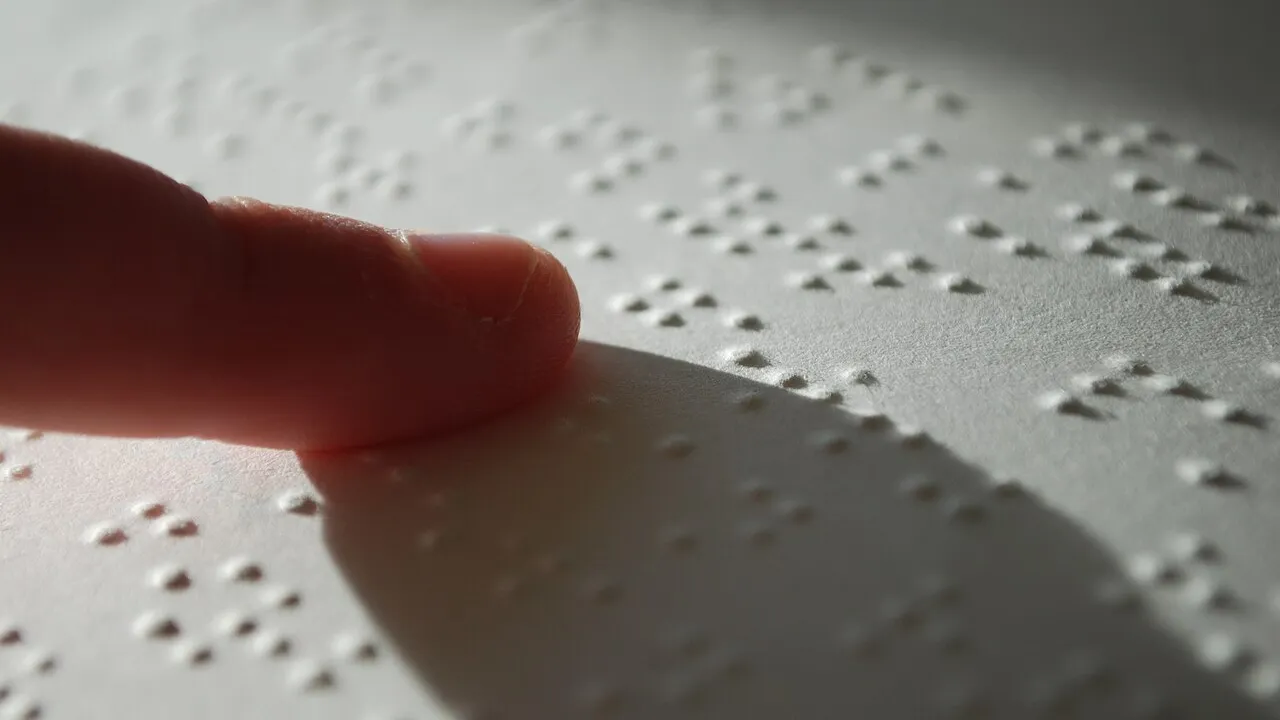
1. What does a Braille embosser put onto heavy paper instead of liquid ink?
2. How does a screen reader help someone use a phone or laptop without looking at the display?
🤯 Mind-Blowing Fact • Grade 2
Modern Braille embossers can punch bumps onto BOTH sides of the same sheet of paper without the dots crashing into each other—a clever trick called interpoint!
✨ Word Sparks (Grade 2 Glossary)
Tap 🔊 to hear
cell
One two-by-three grid of Braille dots
screen reader
Software that speaks computer screen items aloud
accessible
Designed so everyone can use it easily
🪝
How did a 15-year-old boy's dot code team up with modern computers to open every website to blind readers?
1
Six Clever Dots
Close your eyes and trace six tiny bumps arranged like a domino with two columns of three dots. In 1824, fifteen-year-old Louis Braille in France invented that touch alphabet so blind readers could enjoy books independently.
2
Printers That Punch Bumps
Hand-punching Braille books took weeks until engineers at MIT built computer-driven Braille embossers around 1969. Inside an embosser, tiny magnetic hammers tap heavy cardstock from behind, raising hundreds of crisp dot every minute!
3
Computers Find Their Voice
In 1986, mathematician Jim Thatcher at IBM created the first PC for blind colleagues. Today, built-in screen readers and pop-up refreshable Braille displays let blind students browse websites, play games, and write software.
1. How old was Louis Braille when he invented his famous six-dot tactile alphabet in 1824?
2. What does 'interpoint' embossing allow a modern Braille printer to do?
🤯 Mind-Blowing Fact • Grade 3
With 6 dots in a classic Braille cell, there are 64 possible patterns—and computer Braille adds 2 extra bottom dots for 8 dots total, creating 256 patterns to match every keyboard symbol!
✨ Word Sparks (Grade 3 Glossary)
Tap 🔊 to hear
solenoid
Magnetic coil that pushes a metal pin
alt text
Written description explaining an image aloud
refreshable display
Device with moving pins forming changing Braille
🪝
How does a screen reader know whether a picture on a webpage shows a cute puppy or a 'Buy Now' button?
1
More Than Just Reading Paragraphs
Open any colorful webpage and notice icons, menus, search boxes, and photos scattered everywhere. If a computer merely read text from left to right like a typewriter, blind users would miss half the buttons! Assistive technology solves this with smart digital maps.
2
Solenoids Hammering Heavy Paper
When permanent tactile pages are needed—like math tests, sheet music, or elevator signs—a Braille embosser steps in. Rows of electromagnetic coils called fire rounded steel pins into thick paper against a dimpled anvil, raising durable 0.5-millimeter domes.
3
Exploring the Accessibility Tree
Meanwhile, screen readers created since Jim Thatcher's 1986 IBM breakthrough inspect the hidden code behind apps and websites. Using keyboard shortcuts or swipe gestures, users jump straight between headings, links, and image descriptions called .
4
Refreshable Pins Under Your Thumbs
Many blind programmers pair a screen reader with a refreshable Braille display—a slim bar under the keyboard where tiny crystal-driven pins pop up and down instantly to form each new line of text!
1. Why do polite web designers add 'alt text' behind photographs on websites?
2. Why does computer Braille expand the classic 6-dot cell to an 8-dot cell?
🤯 Mind-Blowing Fact • Grade 4
IBM Fellow Chieko Asakawa, who lost her sight at age 14, pioneered the Home Page Reader browser in 1997—opening the World Wide Web to millions of blind internet users worldwide!
✨ Word Sparks (Grade 4 Glossary)
Tap 🔊 to hear
Accessibility API
Software bridge sharing screen structure with tools
piezoelectric
Crystal material that bends when given electricity
tactile graphics
Raised-dot maps and diagrams felt by touch
🪝
How did graphical mouse-click screens in the 1990s nearly lock blind users out of computing—and how did engineers fight back?
1
When Pixels Threatened Accessibility
Imagine navigating a smartphone screen with the glass turned completely black: where do you tap when icons have no physical edges? Early 1980s DOS computers stored plain text characters in neat memory grids that Jim Thatcher's 1986 IBM Screen Reader could easily voice, whereas graphical Windows and Mac icons painted raw pixels that initially baffled early speech tools.
2
Accessibility APIs and Semantic Trees
Software pioneers—including blind engineer Chieko Asakawa, Ted Henter, and operating-system teams—responded by building . Today, browsers construct a hidden semantic tree alongside visual graphics, labeling every widget's role ('button'), name ('Submit'), and state ('expanded') so screen readers like NVDA, JAWS, TalkBack, and VoiceOver let users skim pages at blazing speeds.
3
High-Speed Embossing and Tactile Graphics
For physical literacy, music notation, and STEM diagrams, modern Braille embossers fire voice-coil or solenoid hammer banks at hundreds of characters per second. By varying hammer strike force, high-resolution graphics embossers even sculpt multi-height dot reliefs representing maps, geometric graphs, and planetary craters!
4
Piezoelectric Refreshable Braille
Bridging both worlds, portable Bluetooth Braille displays house hundreds of bimorph reeds that bend instantly when voltage is applied, raising and lowering rounded nylon pins beneath a reader's fingers in silent sync with the screen reader.
1. Why did the shift from plain-text computers to graphical mouse-and-icon screens create a huge new challenge for screen readers?
2. How can modern tactile graphics embossers print touchable maps and science charts alongside words?
🤯 Mind-Blowing Fact • Grade 5
Louis Braille spaced his raised dots about 2.5 millimeters apart—matching what neuroscientists later proved is the optimal spacing for human fingertip mechanoreceptors to read in a single touch without scanning!
✨ Word Sparks (Grade 5 Glossary)
Tap 🔊 to hear
mechanoreceptor
Sensory nerve ending detecting touch and pressure
Document Object Model
Tree structure organizing every webpage element
contracted Braille
Shorthand Braille cells representing common letter groups
🪝
How do electromechanical solenoids, piezoelectric crystals, and Document Object Model trees collaborate to translate sight into sound and touch?
1
From Haüy and Braille to Digital Independence
When Louis Braille refined Charles Barbier's night-writing into a compact 2×3 tactile cell in 1824 Paris, he matched the exact two-point nerve receptor resolution of the human index fingertip (~2.5 mm dot spacing). Yet for nearly 150 years, transcribing books onto zinc plates remained slow and scarce—until MIT engineers built the computer-controlled MIT Braillemboss in 1969, launching automated tactile publishing.
2
Electromechanical Kinematics of Embossing
Paper tears if pierced by sharp needles, so precision Braille embossers rely on controlled plastic deformation of heavyweight cardstock (120–180 g/m²). High-speed solenoid or voice-coil actuators accelerate polished hemispherical punches into matching concave dies with millisecond timing. Interpoint systems offset recto and verso grids by half a cell pitch (~1.25 mm), doubling tactile density while automated Liblouis translation engines convert standard text into Grade 2 .
3
Screen Readers and Semantic DOM Traversal
Pioneered by Jim Thatcher's 1986 IBM Screen Reader and expanded for the web by Chieko Asakawa in 1997, modern screen readers hook directly into platform Accessibility APIs (such as UI Automation, NSAccessibility, and WAI-ARIA web standards). Rather than scraping raw pixels, the reader traverses an hierarchical accessibility tree derived from the (DOM), piping low-latency audio to neural text-to-speech synthesizers at rates exceeding 500 words per minute.
4
Piezoelectric and Microfluidic Tactile Displays
Because listening alone cannot convey exact spelling, math notation, or source-code indentation as crisply as touch, refreshable Braille terminals actuate eight-dot cells via piezoelectric ceramic bimorph cantilevers—and emerging multi-line tactile tablets use shape-memory alloys and micro-electromagnetic latches to render full-page equations and live diagrams.
5
Multimodal AI and Universal Design
Today, on-device vision-language models integrated into screen readers instantly describe unlabeled photographs, read handwritten whiteboard notes, and guide touchscreen navigation—proving that assistive engineering elevates human-computer interaction for everyone.